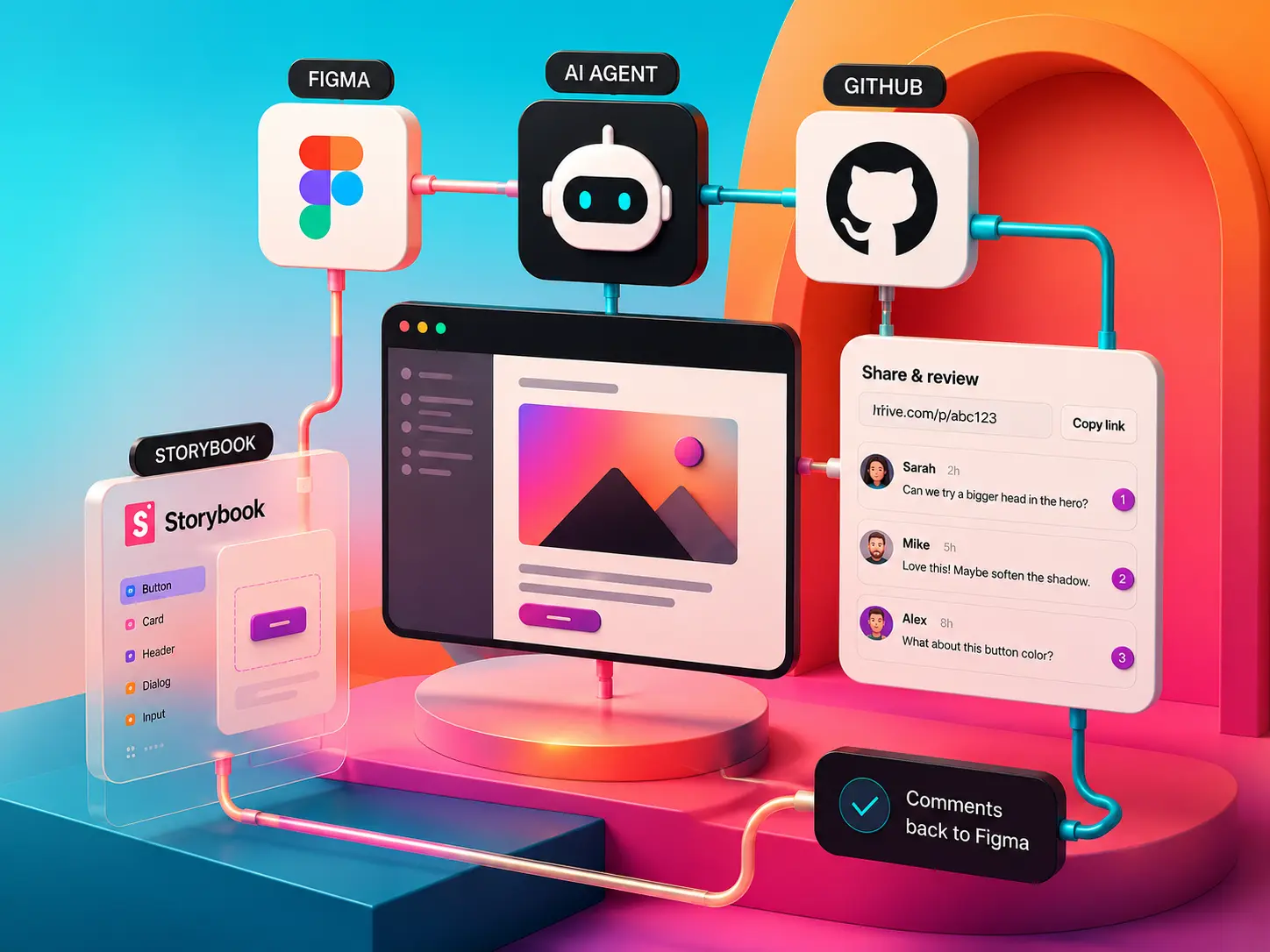
Design work involves more than producing a screen. Reusable components, design variables, and prototype behavior need to stay connected as a product evolves.
In a conventional handoff, designers repeatedly explain their intent across screens, message threads and separate builds. Details can drift as the work moves between design, development and stakeholder review.
A working prototype makes the unresolved questions visible: what happens after a click, how transitions behave, how the layout responds on smaller screens, and what users see when data is missing or incorrect. Teams can explore those questions before committing to a production implementation.
02 / My contribution
My contribution
My work on HiFiveUI / Figma Agent Bridge connects AI agents with the Figma canvas and the tools used to build and review interactive prototypes.
The workflow starts with selected Figma screens or a short user flow. The designer describes the desired behaviour to an AI agent, explores and refines the resulting prototype, publishes a review version and shares it with stakeholders. Their feedback informs the next iteration.
The product brings publishing and review into the same cycle as design and code, while letting teams continue with their chosen AI agent and existing repository.
03 / Scope and decisions01
Build from the design
The agent works from the selected Figma flow and the existing repository, with screen hierarchy, components and variants, variables, styles and reference assets as context.
This gives the prototype a concrete design-system reference. Figma remains the source of the design, where designers can continue editing and refining the interface directly.
02
Review the real experience
Stakeholders review an interactive prototype in their browser and leave comments tied to its screen, runtime state, version and position.
A reviewer can return to the state behind a comment and focus on the relevant element. Feedback stays specific even when it concerns an open menu, a filtered view or a temporary interaction state.
03
Keep the iteration connected
Each publication creates an immutable review version. Publishing V2 leaves V1 intact, so the team can revisit the exact experience behind an earlier discussion.
The designer chooses whether to continue in code or ask the agent to return selected changes to native Figma. Comment synchronization requires a linked project that is ready to sync; transferring design changes is a separate, deliberate step.
04 / Delivery & status
Early access
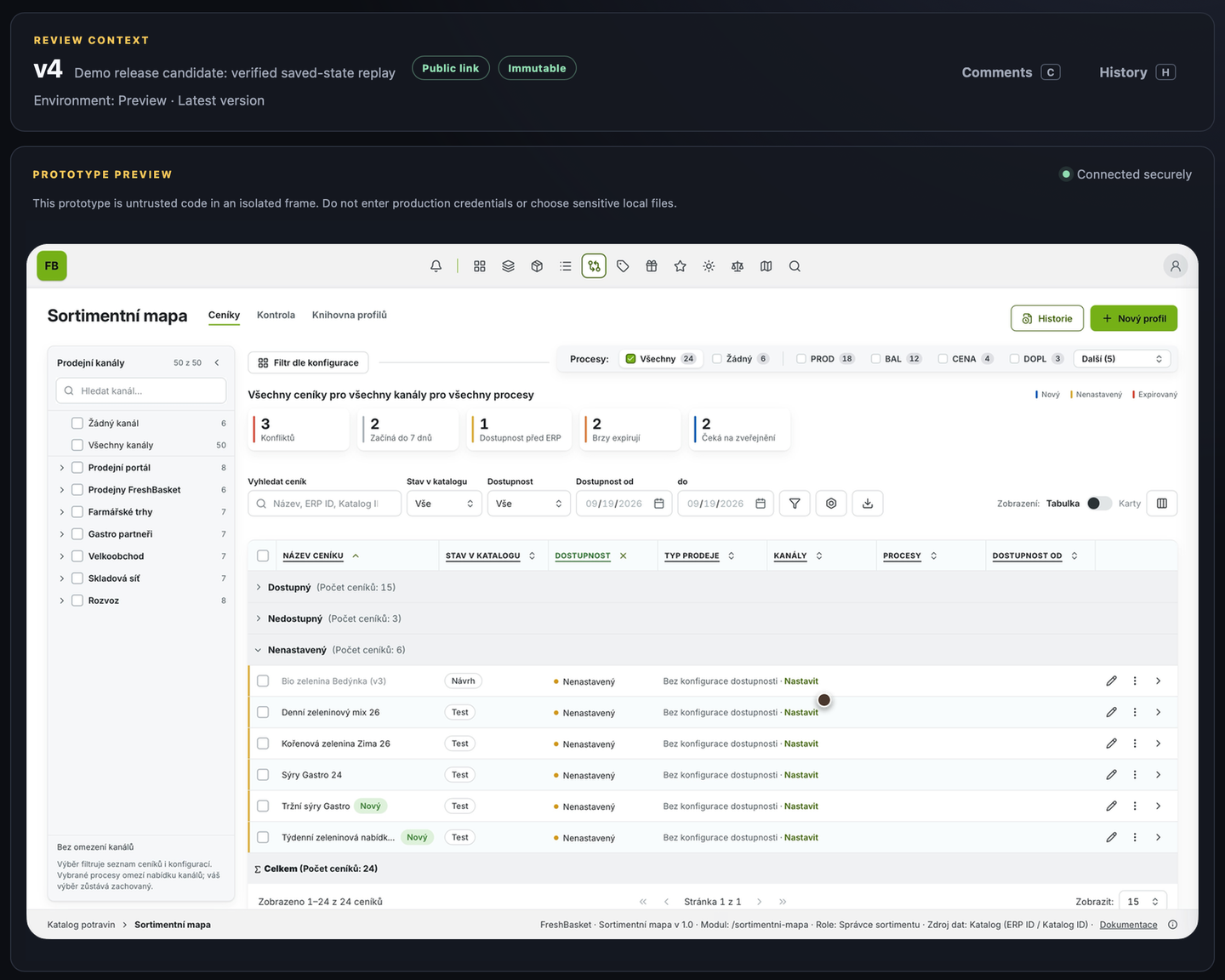
HiFiveUI has a public early-access site. The Mac app is not yet publicly downloadable. The interface example below shows the Grocery prototype in the prototype review workspace.
A working review environment.
The Grocery prototype brings the workflow into view: table and card views, filtering, contextual comments, immutable version history, and cloud sharing.
Actual Grocery prototype in the review workspace. Open the image for a closer look.Visit HiFiveUI